
eLeetCode is a Chrome extension that adds a personal practice database directly on top of LeetCode. It lets me log accepted solutions, save code, track how a problem felt, and review the patterns that I should revisit later.
I built it because LeetCode progress is easy to overestimate. A green checkmark tells me I solved a problem once, but it does not tell me whether I solved it independently, needed a hint, memorized the trick, took too long, or should come back to it in a week. I wanted a tool that treated practice as something closer to training. Every attempt should become useful review data.
The goal was not to replace LeetCode. The goal was to make the missing layer feel like it had always belonged there.
Records difficulty, outcome, tags, notes, duration, language, and code.
Saves a portable tracker file and solution snapshots to a user-owned repo.
Turns attempts into filters, tag stats, review flags, and training cues.
Logging Flow
The main interaction starts after LeetCode reports an accepted submission. eLeetCode watches the submission result area, extracts the current page context, and highlights the floating Log button. Clicking the button opens a drawer prefilled with the detected problem.
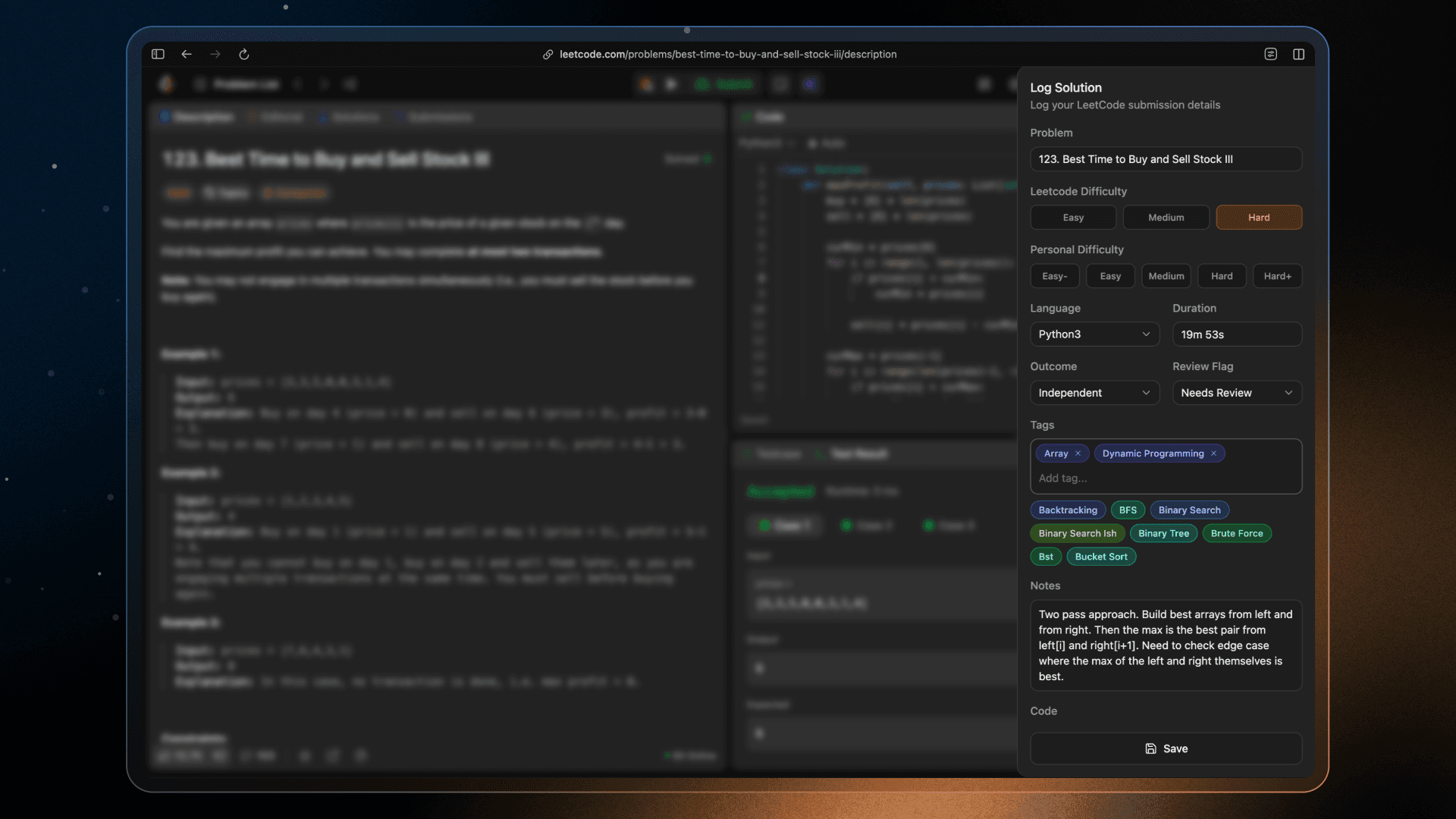
From there, the user can adjust the details before saving. The extension tries to pull in the practical pieces automatically: problem title, LeetCode difficulty, programming language, editor code, and timer duration. But the important part is that nothing is treated as sacred. The drawer is still editable because the user knows the session better than the scraper does.
I ended up making the log form more intentional than a simple modal. Personal difficulty uses compact segmented controls, tags are entered as inline pills with suggestions from existing tracker data, and duration stays stored as seconds while displaying in a friendlier format. The form is fast enough for repeated use, but detailed enough that the saved data is actually useful later.
Dashboard
The dashboard is where the tracker becomes more than an archive. I wanted it to answer three different review questions: what have I solved, what should I revisit next, and what patterns are showing up across topics?
Problems Database
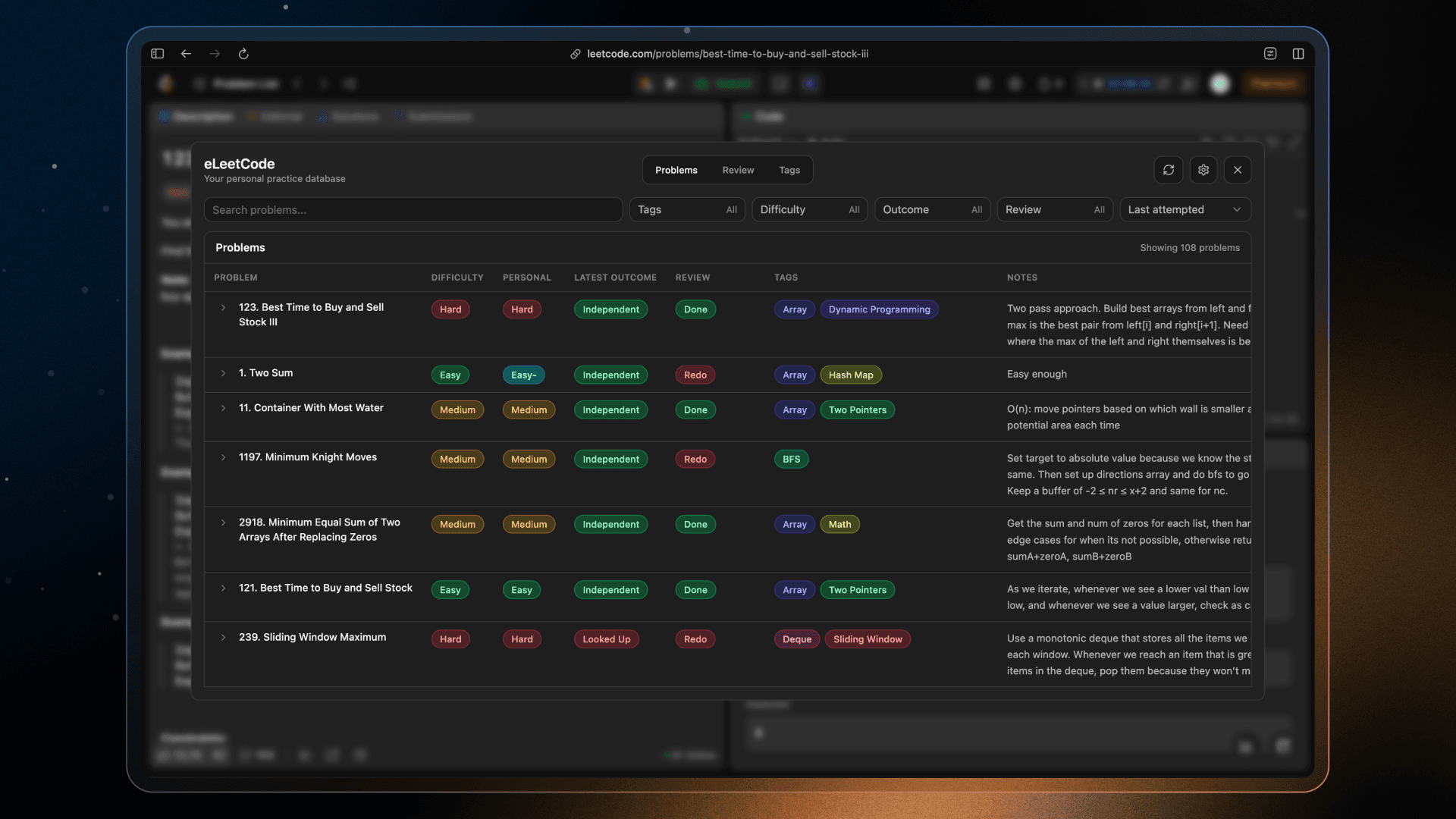
The problems database is the most literal view of the tracker. It lists every saved problem with its LeetCode difficulty, personal difficulty, tags, review flag, latest attempt, and practice outcome. Since the table can get dense quickly, I focused on making it easy to filter down to a useful slice instead of forcing the user to scan everything.
The row expansion was one of the more important details. A problem is not just solved or unsolved; it has a history. Expanding a row shows each attempt, how it went, how long it took, the notes attached to it, and a clean Code link back to the saved GitHub solution. That turns the table into a lightweight practice journal without making the default view feel overloaded.
Review
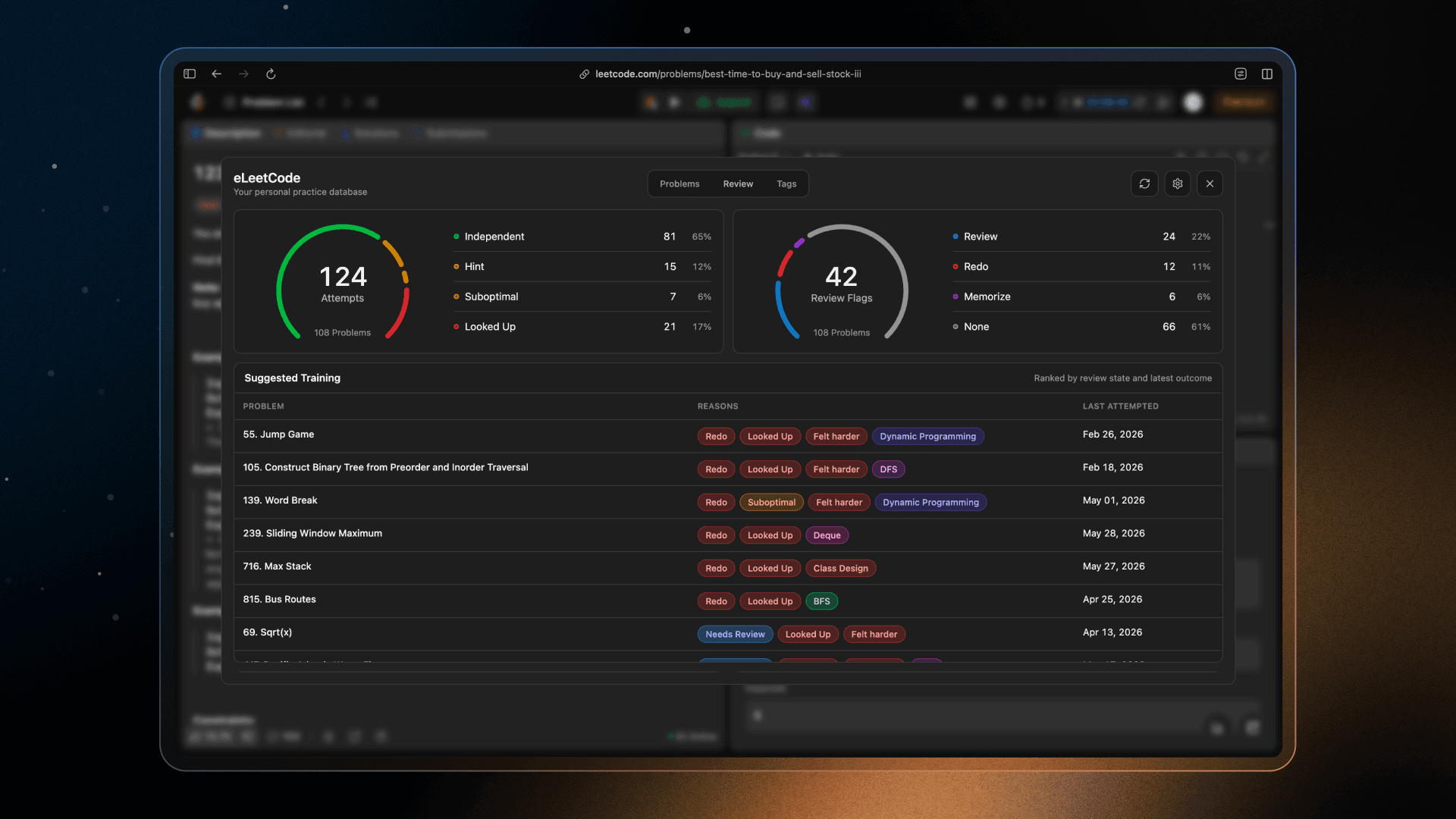
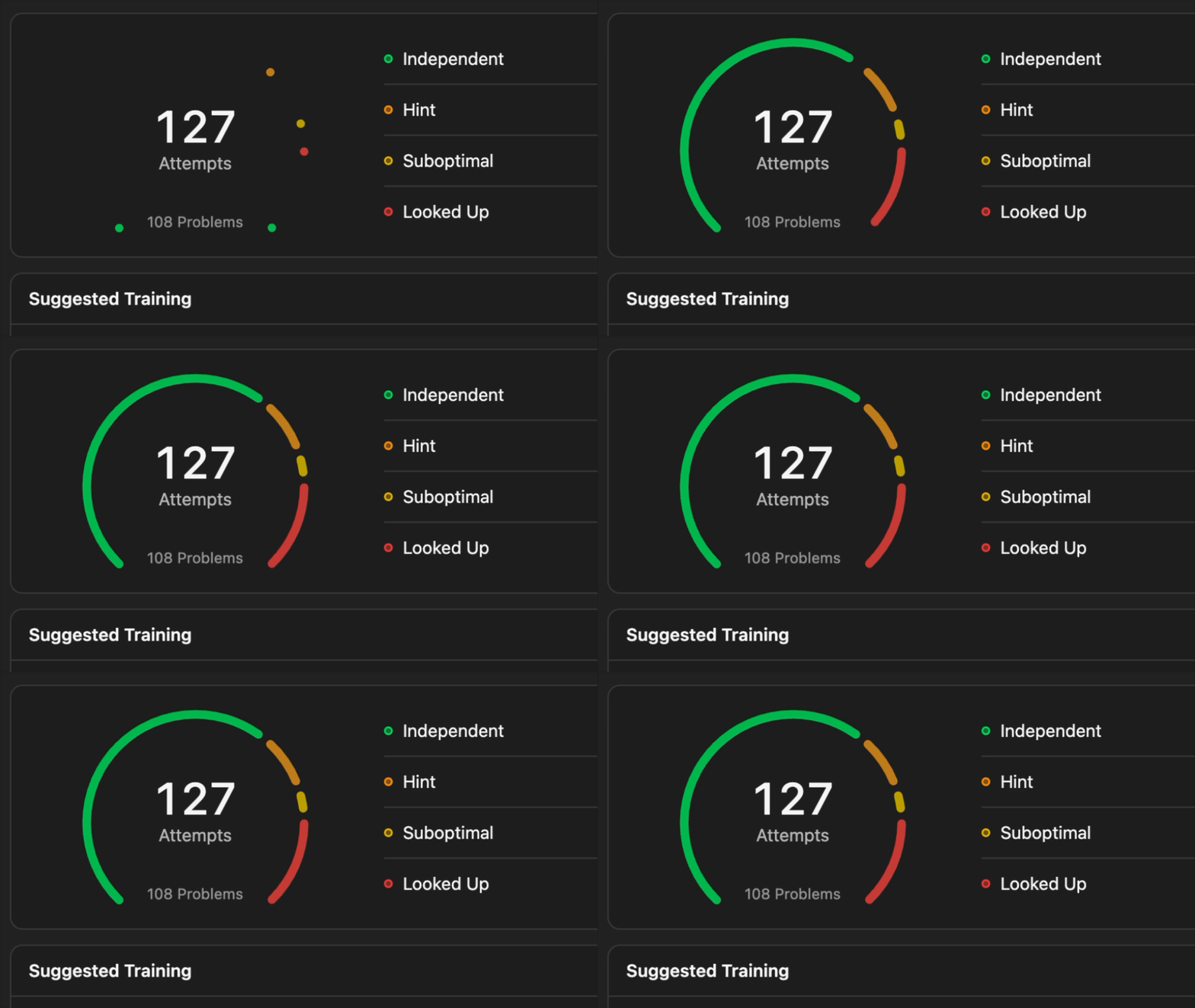
The review section is meant to turn the tracker into an actual training plan. It summarizes solution outcomes and review flags, then surfaces suggested problems that are worth revisiting. The goal is to make the next practice session easier to choose: instead of scrolling through LeetCode randomly, I can start from the problems the tracker thinks still have value.
I kept this section more focused than a traditional analytics dashboard. The point is not to show every possible metric. It is to help me decide what to do next, based on the problems I looked up, flagged, struggled with, or have not revisited in a while.
Tags
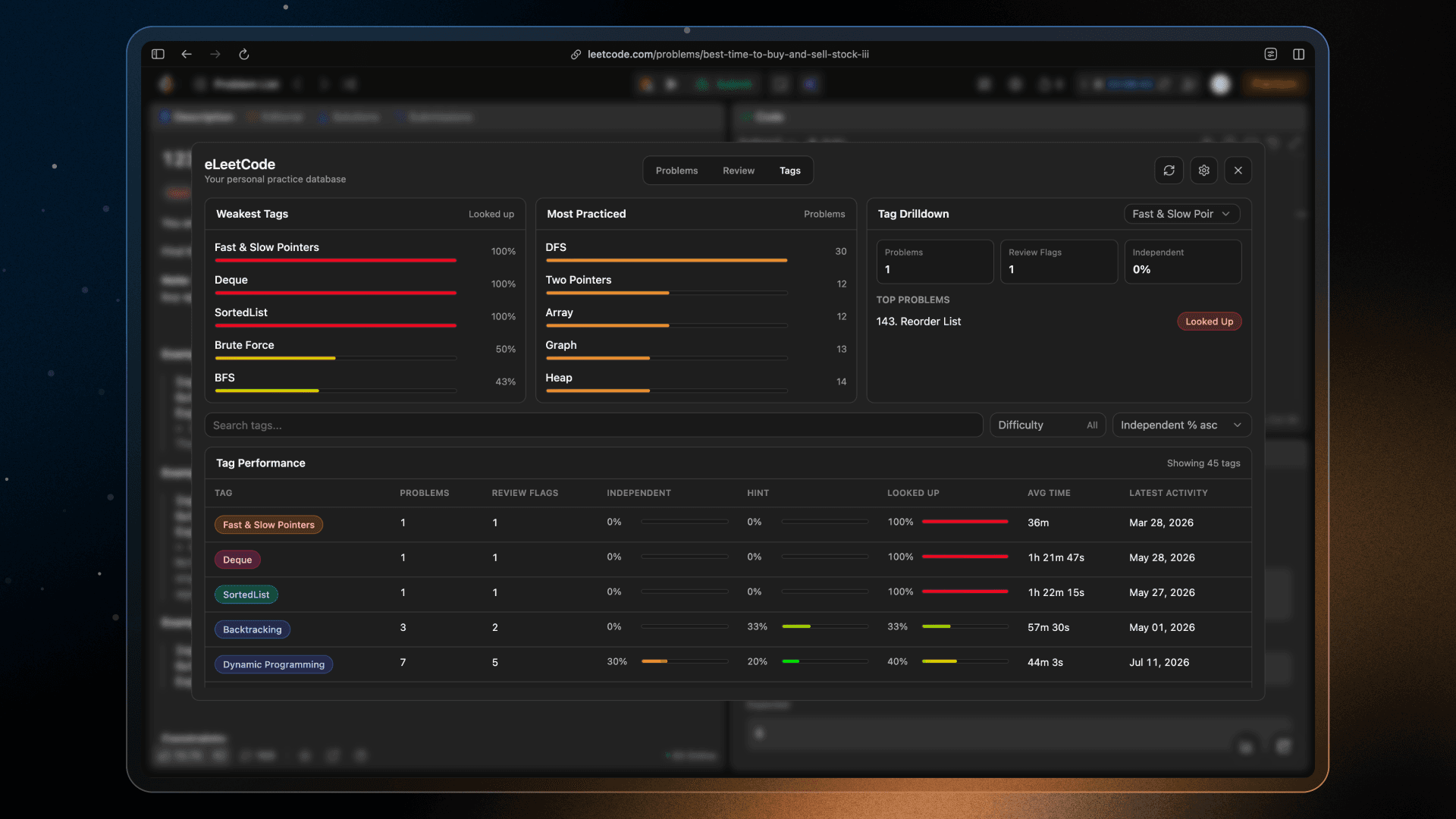
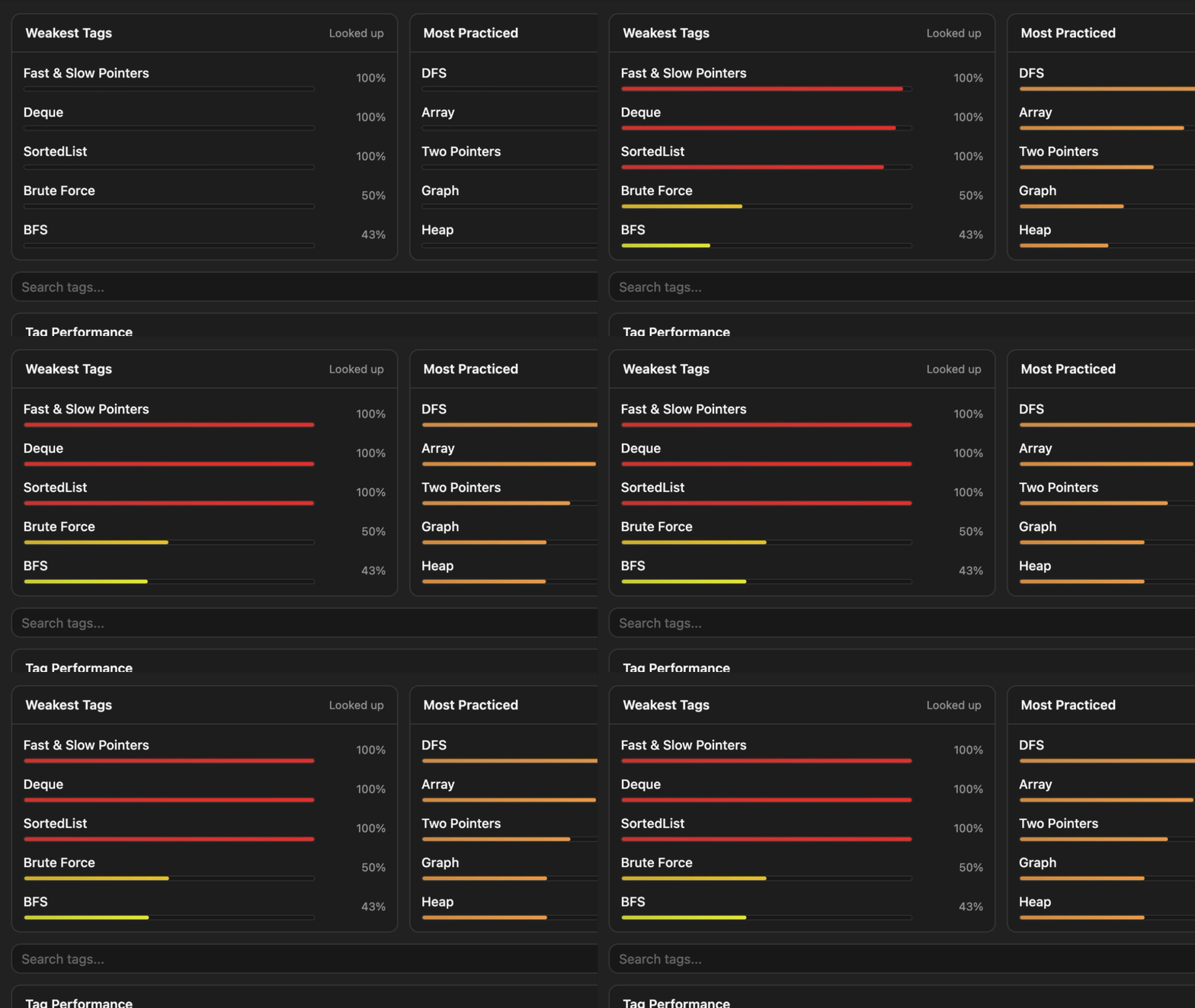
The tags table is more diagnostic. Instead of asking what happened on a single problem, it asks what patterns are developing across topics. For each tag, the dashboard can show how often I solved independently, how often I looked something up, how often that topic gets flagged for review, and how much practice volume it has overall.
This view is useful because it catches the gaps that raw solved counts hide. If a topic has a lot of completions but a high looked-up rate, that tells a different story than a topic with fewer attempts but strong independent solves. I added animated sliders and subtle tag colors so the table is easier to scan at a glance.
Building eLeetCode
Saving Practice Data
For storage, I decided to use GitHub instead of building a backend. The extension writes to a repository owned by the user, which keeps the data portable and easy to inspect. The tracker is just JSON, and solution code can be saved as separate files.
That decision kept the project lightweight, but it also introduced some real product constraints. Users need to configure a token, owner, repo, branch, tracker path, and solutions directory. To make that less fragile, eLeetCode has a settings panel inside the dashboard and stores those values in Chrome extension storage. If settings are missing, the log drawer shows a concise warning before the user tries to save.
The saved tracker is problem-centric. Each problem stores its latest metadata and a list of attempts:
{
  "problems": {
    "two-sum": {
      "slug": "two-sum",
      "title": "Two Sum",
      "leetcodeDifficulty": "Easy",
      "personalDifficulty": "Easy",
      "tags": ["Array", "Hash Map"],
      "reviewFlag": "redo",
      "attempts": [
        {
          "solvedAt": "2026-06-23T15:56:52.205Z",
          "language": "Python3",
          "outcome": "independent",
          "duration": 600,
          "codePath": "solutions/two-sum/2026-06-23T15-56-52-205Z.py"
        }
      ]
    }
  }
}
Keeping the format simple was important. I wanted the tracker to be useful even outside the extension, whether that means scripting against it, manually editing it, or seeding it from older notes.
Designing Around LeetCode
The hardest design constraint was that eLeetCode lives inside someone else's product. It had to feel visible enough to use, but not so loud that it fought with LeetCode.
The extension mounts its React app into a Shadow DOM. That gave eLeetCode a clean boundary from LeetCode's own styles, which was important because both apps use dense utility classes and global resets. Without that isolation, simple things like button resets, typography, borders, and form controls could accidentally inherit from the page or leak back into it.
The tradeoff is that Shadow DOM makes overlays more complicated. Components from shadcn/Radix often render popovers, selects, dialogs, and drawers through portals. In a normal app, that is fine because the portal lands in document.body and still has access to the global stylesheet. In an injected extension, that can put the UI outside the shadow root, which means it loses the extension styles and starts fighting the host page. I had to be careful about which primitives were worth using as-is, which ones needed a shadow-aware portal container, and which ones were better kept native or custom.
Theme matching also became a technical problem instead of just a visual one. eLeetCode detects LeetCode's current light or dark mode, sets a theme attribute on the shadow host, and lets the injected UI swap tokens from there. That kept the dashboard, drawer, pills, charts, and controls feeling like part of the page while still staying isolated.
I also tried to keep controls familiar. The dashboard uses dense tables, filters, gauges, and small pills because this is a repeated-use workflow, not a marketing page. The log drawer is similarly compact: fast fields, clear toggles, and minimal copy.
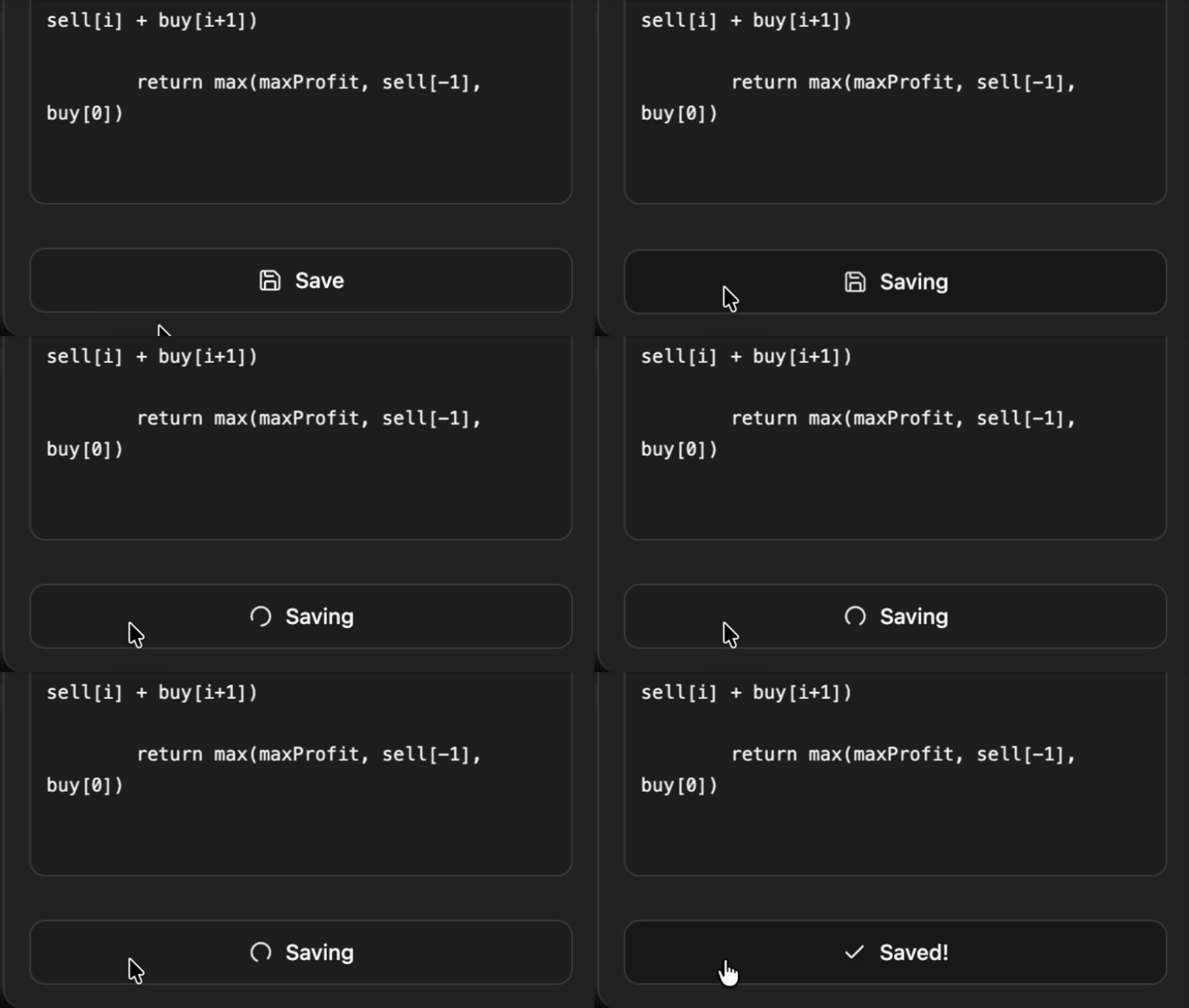
I also wanted to have some fun and experiment with the design to make it more engaging. Check out some of those design highlights:
Takeaways
eLeetCode started as a personal utility, but it became a much more complete product than I expected. The interesting part was not just figuring out how to save LeetCode attempts. It was figuring out how to make that act feel natural inside an existing workflow.
I learned a lot about building injected interfaces: Shadow DOM styling, Chrome extension messaging, browser storage, content extraction, GitHub API writes, and designing UI that needs to coexist with another app. I also got a much better appreciation for motion as product feedback. The right animation can make a tool feel calm, confident, and clear.
More than anything, this project reminded me that personal tools are worth polishing. If a workflow matters enough to repeat hundreds of times, it probably deserves to feel good.
eLeetCode is open source, and I would love for it to improve with feedback from other people building their own LeetCode practice systems. You can try it from the extension page or explore the code on GitHub.
Check out the demo video here: